
Creating a professional CV or resume that grabs an employer’s attention doesn’t start with fancy templates or big words — it starts with preparation and clarity. The first week of this journey is about understanding yourself, identifying your target jobs, and learning how to structure your information in a way that speaks directly to employers.
If you follow these steps carefully, by the end of the week, you’ll have a clear direction, a strong personal profile, and the foundation of a job-winning resume.
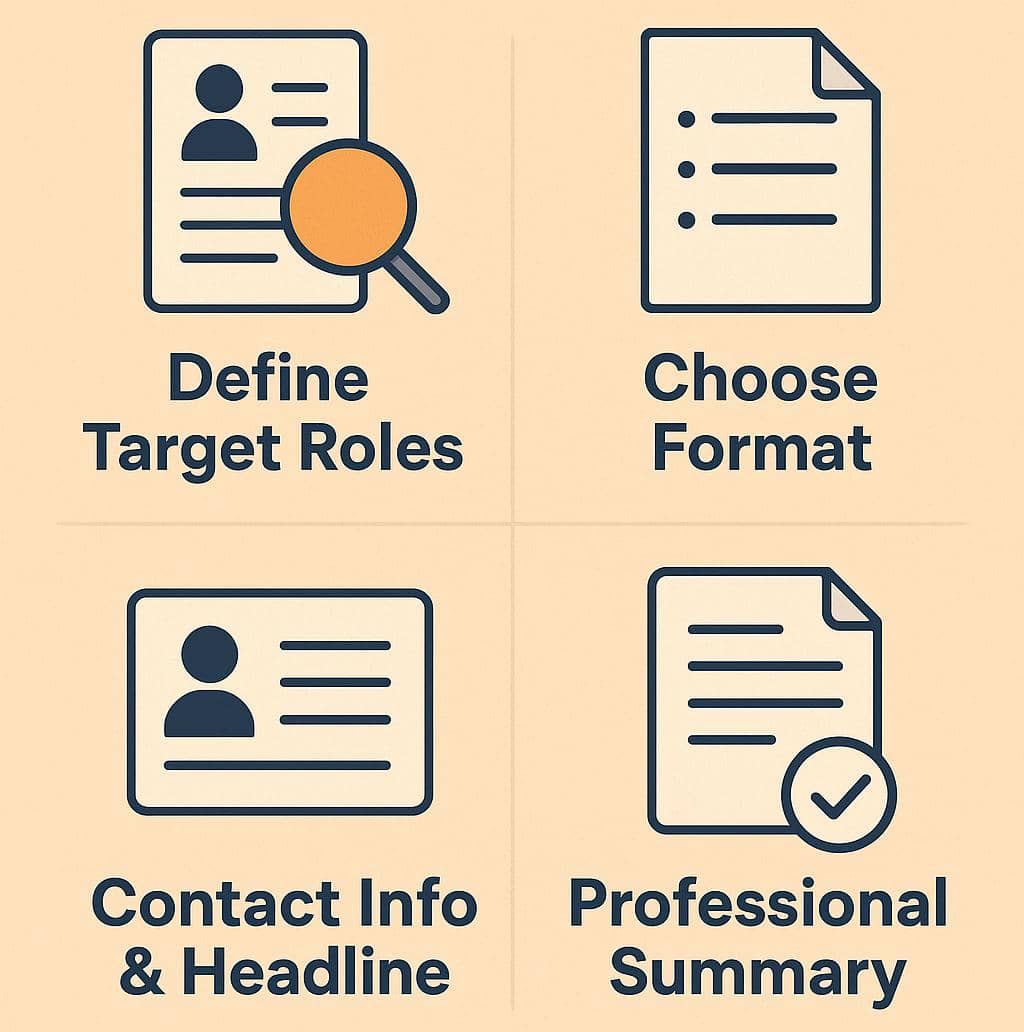
Step 1: Identify the Job You Want and Study It Deeply
Before writing anything, you must know what type of job you want and what employers in that field are looking for.
Many job seekers make the mistake of writing one general CV and sending it everywhere — that never works.
Here’s how to get it right:
1. Pick your target job titles.
Choose two or three roles you really want. For example, Administrative Assistant, Electrical Technician, or Digital Marketer.
2. Search for real job openings.
Visit job sites like LinkedIn, Indeed, Jobberman, or Glassdoor. Open 5–10 job descriptions related to your chosen roles.
3. Take note of recurring words.
You’ll see repeated requirements like “communication skills,” “project management,” “data entry,”or “PLC programming.”
These are the keywords employers want. Write them down in a notebook or spreadsheet.
4. Understand the employer’s language.
Your resume should sound like the job description. That’s how you pass Applicant Tracking Systems (ATS) and catch a recruiter’s eye.
📘 Tip: Create a simple “Keyword List.” One column for Skills/Tools, and another for Action Words like led, managed, designed, achieved, implemented.
Step 2: Choose the Right Resume Format and Length
Now that you know what employers want, it’s time to decide how to present yourself.
A great resume layout helps recruiters find your key information fast. Remember, recruiters spend an average of 6–8 seconds scanning your CV before deciding if you’re a match.
Types of resume formats:
1. Reverse Chronological Resume (Best for most job seekers)
Lists your most recent work first. Great if you have consistent work experience.
2. Combination Resume (Best for career changers or those with projects)
Highlights skills first, then experience.
3. Functional Resume (Best for entry-level applicants)
Focuses on skills instead of work history. Use if you have little experience.
Length rule:
• 1 page if you have less than 10 years of experience.
• 2 pages if you have long or technical experience.
• Keep everything relevant to the job you’re applying for.
📘 Tip: Don’t add every job you’ve ever done. Add only what supports your target role. Quality beats quantity.
Step 3: Write Your Contact Information and Professional Headline
This is the easiest but most important part. If your contact section looks unprofessional, recruiters may not even call you.
What to include:
✅ Full name (bold and clear at the top)
✅ Phone number (with country code if applying internationally)
✅ Professional email (like [gideon.kpeta@gmail.com](mailto:gideon.kpetaegmail.com), not [fineboi123@gmail.com](mailto:fineboi123@gmail.com)
✅ City and country (no need for full home address)
✅ LinkedIn profile link (if available)
✅ Portfolio link (for designers, engineers, writers, or developers)
Add a Professional Headline
Your headline tells recruiters who you are in one short line.
💡 Example:
Electrical Engineering Technologist | Power Systems & Fault Detection Specialist
Make your headline specific and relevant to the role you want — not a generic “Job Seeker.”
📘 Tip: Use your headline across your CV, LinkedIn, and even email signature. It helps brand you professionally.
Step 4: Write a Strong Professional Summary
This is one of the most read sections on your resume. It’s your chance to tell the recruiter, in just a few sentences, why you’re valuable.
How to write it (3–5 lines only):
1. Start with who you are.
Example: “Electrical Technologist with 5+ years’ experience in power systems maintenance and troubleshooting.”
2. Add your top achievements or strengths.
Example: “Improved system uptime by 30% through preventive maintenance strategies.”
3. End with your goal or what you offer.
Example: “Seeking to contribute technical expertise in a growing engineering firm focused on smart distribution systems.”
📘 Tip: Avoid phrases like “Hardworking and dedicated individual.” Everyone writes that. Instead, focus on results — what you’ve achieved or improved.
Step 5: Create a Keyword and Skills List
Now, it’s time to make your resume searchable and ATS-friendly.
Most companies use computer software (ATS) to scan resumes before a human sees them. The software looks for specific keywords that match the job description.
How to do it:
1. Go back to your Keyword List from step 1.
2. Pick the top 10–15 words that appear most often across the job ads.
3. Include these words naturally in your summary, skills, and work experience.
💡 Example:
If you’re applying for a marketing job and most job descriptions mention “social media strategy” or “content creation,” use those exact phrases in your CV.
📘 Tip: Don’t stuff keywords unnaturally. Write naturally — ATS systems are smart enough to detect keyword spamming.
Step 6: Update Your LinkedIn and Portfolio
A professional CV is only one side of your brand. Recruiters will almost always check your LinkedIn profile or portfolio after reading your resume.
LinkedIn Checklist:
• Make sure your headline matches your CV.
• Write an “About” section with your summary and top achievements.
• Add your skills and get endorsements if possible.
•Use a professional profile photo.
• Add work samples, certificates, or links under your featured section.
Portfolio (for creative or technical fields):
If you work in design, IT, or engineering, prepare a small portfolio (even if it’s a simple PDF or Google Drive folder) showing:
•Projects you’ve completed
•Tools or software you used
•Results or impact of your work
📘 Tip: Use free tools like Google Docs, Canva, or Behance to showcase your work professionally.
Step 7: Build Your Master Resume
Before you start tailoring your resume for each job, create one master resume — a document that contains everything you’ve ever done.
How to build it:
1. Open a blank document and list all your experiences — jobs, trainings, volunteer work, certificates, achievements.
2. Don’t worry about formatting yet. Just write down everything.
3. Once it’s complete, use this master file as your “CV library.”
Every time you apply for a job, you can copy the most relevant parts into a new, shorter version.
📘 Tip: Keep your master resume updated monthly. Add new skills, certifications, or projects as you grow.
Final Thoughts for Week 1
At the end of Week 1, your foundation is set. You now have:
A clear understanding of your target jobs.
A list of industry-specific keywords.
A professional headline and summary that tell your story.
A polished LinkedIn profile and (if relevant) a small portfolio.
A complete master resume ready for customization.
Quote of the Week
“A resume doesn’t get you the job; it earns you the conversation.”
— So make every word count.